Articles
HVAC Contractor Tips and Articles For Your Home
How to Use the "Hold" and "Run" Thermostat Buttons?
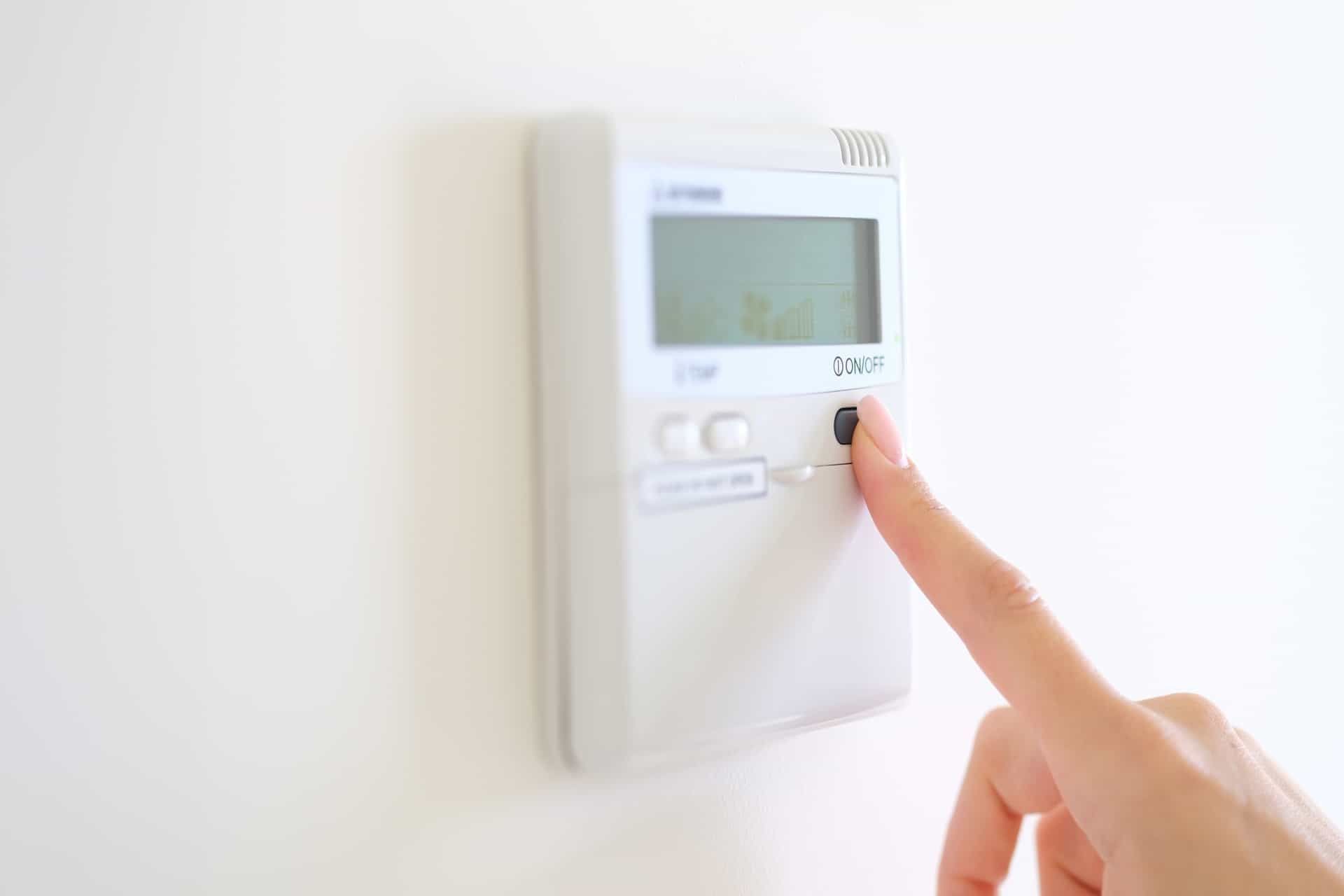
The “Hold” and “Run” buttons let you temporarily control your thermostat without changing its regular settings.
The “Hold” button keeps your home at the temperature you select. The “Run” button cancels that change and returns the thermostat to its normal operation.
These buttons are useful when your routine changes for a few hours or days. For example, you may use “Hold” when guests are visiting or when you are home at an unusual time. When things return to normal, press “Run” to cancel the hold.
The exact button names may vary by thermostat. Some models may show “Temporary Hold,” “Permanent Hold,” “Hold Until,” “Run Schedule,” or “Cancel Hold.” In this guide, we explain what these settings mean and how to use them correctly.
What Does Hold Mean on a Thermostat?
The Hold setting lets you override your thermostat’s programmed schedule.
A programmable thermostat may be set to change temperatures several times during the day. For example, it might lower the heat after you leave for work and raise it before you return.
When you activate Hold, the thermostat stops following those scheduled changes. It maintains the temperature you selected for a limited period or until you cancel the hold.
Manufacturer instructions for many programmable thermostats describe Hold as a setting that turns off or temporarily overrides the normal program. The exact length of the override depends on the thermostat.
Temporary Hold
A temporary hold changes the temperature for a limited period.
Depending on your thermostat, the hold may last until:
- The next scheduled temperature period
- A time selected by the user
- A preset number of hours
- The hold is manually canceled
A temporary hold is useful when your routine changes for part of the day. It provides extra comfort without deleting your regular schedule.
For example, you may use a temporary hold if you are staying home later than usual or returning home earlier than expected.
Permanent Hold
A permanent hold maintains the selected temperature until you manually cancel it.
The thermostat will not return to its regular schedule on its own. This can be helpful when your normal routine will change for several days.
A permanent hold may make sense when:
- You are taking time off from work
- Someone will be home during the day
- Your routine has temporarily changed
- You are waiting to create a new schedule
Not every thermostat has a permanent hold option. Some controls only offer a temporary override or a Hold Until setting.
What Does Hold Mean on a Honeywell Thermostat?
On many Honeywell Home programmable thermostats, Hold means the normal temperature schedule has been overridden.
The Honeywell thermostat hold button may allow you to:
- Maintain a temperature until the next scheduled period
- Select a time when the hold will end
- Maintain the setting until you cancel it
- Temporarily change the temperature without editing the schedule
The specific choices depend on the thermostat. Check the words shown on the display after you adjust the temperature.
You may see:
- Temporary Hold
- Permanent Hold
- Hold Until
- Cancel Hold
- Run Schedule
Because Honeywell thermostat controls vary, use the general instructions in this guide rather than assuming every unit responds in the same way.
What Does Run Mean on a Thermostat?
Run tells the thermostat to return to its saved schedule.
The button may also be labeled:
- Run Schedule
- Resume Schedule
- Resume
- Cancel Hold
If the thermostat is currently on hold, pressing Run normally cancels the override. The thermostat then follows the temperature programmed for the current time of day.
For example, imagine your schedule is set to:
- 68°F in the morning
- 62°F while the home is empty
- 68°F in the evening
- 64°F overnight
If you change the temperature to 70°F and press Hold, the thermostat may maintain 70°F. If you press Run during the afternoon, it should return to the temperature programmed for that afternoon period.
Run does not delete your schedule. It tells the thermostat to start following the saved schedule again.
Hold vs. Run on a Thermostat
The difference between Hold and Run is simple.
| Setting | What It Does | When to Use It |
|---|---|---|
| Hold | Pauses or overrides the schedule | When your routine temporarily changes |
| Temporary Hold | Maintains a setting for a limited time | When you need a short comfort adjustment |
| Permanent Hold | Maintains the setting until canceled | When your routine changes for several days |
| Run Schedule | Cancels the hold and resumes the program | When your normal routine returns |
Think of Hold as pausing your normal temperature schedule. Think of Run as starting that schedule again.
How to Use Hold and Run on a Thermostat
The controls differ between thermostats, but the general process is similar.
How to Place a Thermostat on Hold
- Make sure the thermostat is set to Heat or Cool.
- Adjust the temperature to the setting you want.
- Press Hold or select the hold option shown on the screen.
- Check whether the display says Temporary Hold, Permanent Hold, or Hold Until.
- Select an end time if the thermostat asks for one.
Some thermostats display the hold option only after you adjust the temperature.
Do not change wiring, installer settings, or equipment configuration when you only need to adjust the temperature. Those controls affect how the thermostat communicates with the heating and cooling system.
How to Cancel Hold and Resume the Schedule
- Look for Run, Run Schedule, Resume, or Cancel Hold.
- Press or select that option once.
- Check whether Hold disappears from the display.
- Allow the thermostat time to apply the scheduled setting.
The heating or cooling equipment may not start immediately. Many HVAC systems have a short safety delay that helps prevent rapid cycling.
When Should You Use the Hold Button?
The hold button on a thermostat is useful when your day does not match your programmed schedule.
When You Are Home at an Unusual Time
Your weekday schedule may reduce heating or cooling while the home is empty.
If you stay home for the day, a temporary hold can maintain a more comfortable temperature without changing the whole schedule.
When You Have Guests
The number of people in the home can affect indoor comfort.
You may use Hold during a gathering and return to Run Schedule when the event is over.
When Your Routine Changes for Several Days
A longer hold may be useful during a school break, work-from-home period, or time away from your regular routine.
Remember to cancel the hold when your normal schedule begins again.
When You Leave Home
You may use Hold to maintain a different temperature while the home is empty.
Choose a setting that reduces unnecessary heating or cooling without putting the property at risk. During cold Illinois weather, your home still needs enough heat to help protect plumbing and indoor belongings.
Your thermostat may also have an Away or Vacation setting. That feature may be more suitable for a longer absence.
Can Using Hold Save Energy?
The Hold button does not save energy by itself.
Energy use depends on:
- The temperature you choose
- How long the setting remains active
- Outdoor weather
- Home insulation
- HVAC system condition
- Your normal schedule
- Whether anyone is home
Hold may reduce energy use when it maintains a reasonable setback while the home is empty.
However, Hold may increase energy use if it maintains a demanding comfort setting all day and prevents the normal schedule from running.
The U.S. Department of Energy explains that programmable thermostats can reduce heating and cooling use by adjusting temperatures when occupants are away or asleep. The benefit comes from an appropriate temperature setback, not simply from activating Hold.
For better thermostat use:
- Create a schedule that matches your routine
- Use temporary holds for short changes
- Cancel permanent holds when they are no longer needed
- Avoid extreme temperature adjustments
- Keep your HVAC system properly maintained
- Replace or clean filters as recommended
What Happens If You Forget to Turn Off Hold?
If you leave a permanent hold active, the thermostat may continue maintaining the same temperature day and night.
This can cause:
- Unnecessary energy use
- Rooms that feel too warm or cold
- A schedule that appears not to work
- Extra HVAC operation while the home is empty
Look at the thermostat display if your indoor temperature does not match your normal schedule.
If you see Hold, Permanent Hold, or Hold Until, press Run Schedule or Cancel Hold when you want the normal program to resume.
Why Is My Thermostat Stuck on Hold?
A thermostat may stay on hold because a permanent hold was selected. It may also be waiting for a chosen end time.
Try these steps:
- Press Run, Run Schedule, Resume, or Cancel Hold.
- Wait for the display to update.
- Check that the correct date and time are set.
- Confirm that a temperature schedule is saved.
- Make sure the thermostat is set to Heat or Cool.
- Check the thermostat instructions if the display uses unfamiliar terms.
A connected thermostat may also respond to settings in its mobile app. Check for away, vacation, occupancy, or schedule settings that may be controlling the temperature.
If the thermostat keeps returning to Hold or loses its schedule, the issue may require further troubleshooting.
Why Did Pressing Run Not Start the HVAC System?
Run is not a direct start button for your furnace or air conditioner.
It controls the temperature schedule. Your HVAC system will only start when the room temperature creates a need for heating or cooling.
The equipment may remain off because:
- The room is already at the scheduled temperature
- The thermostat is in the wrong mode
- A safety delay is active
- The schedule contains an unexpected setting
- The thermostat is not receiving power
- The HVAC system has another problem
For heating, the selected temperature normally needs to be higher than the room temperature before the thermostat calls for heat.
For cooling, the selected temperature normally needs to be lower than the room temperature before the thermostat calls for cooling.
If the thermostat display is blank, review Gleason’s guide about troubleshooting a blank Honeywell thermostat. If the display works but the HVAC system does not respond, professional service may be needed.
Should You Use Hold or Change the Schedule?
Use Hold for a short or unusual change. Update the thermostat schedule when the same change happens regularly.
For example:
- Use Hold when you stay home for one unexpected afternoon.
- Change the schedule when you begin working from home every weekday.
- Use Hold Until when an event ends at a known time.
- Use Run Schedule when your regular routine returns.
If you manually adjust the thermostat every day, your current schedule may no longer match your household.
For detailed scheduling help, read Gleason’s guide on how to program a Honeywell thermostat.
Common Hold and Run Mistakes
Leaving a Permanent Hold Active
A permanent hold can block every scheduled temperature change. Check the display when your home feels warmer or cooler than expected.
Confusing Run With the Fan Setting
The run schedule controls the temperature program.
The fan setting controls whether the indoor blower operates automatically or continuously. They are separate controls.
Using Hold to Fix an HVAC Problem
Hold only changes the thermostat’s target temperature.
It cannot fix:
- A dirty air filter
- Weak airflow
- A tripped breaker
- Faulty wiring
- A furnace problem
- An air conditioner problem
Making an Extreme Temperature Change
Setting the thermostat far above or below your desired temperature does not make most HVAC systems heat or cool faster.
Set the temperature to the level you actually want.
Following Instructions for a Different Thermostat
Button names and menu options vary. Use the information shown on your thermostat and check its instructions when general steps do not match the display.
When Should You Contact an HVAC Professional?
Contact an HVAC professional when:
- The thermostat display works but the system does not respond
- The thermostat reading appears inaccurate
- The thermostat repeatedly loses its schedule
- The screen turns blank or restarts
- The HVAC system turns on and off too quickly
- You notice loose or damaged wiring
- You want to replace or upgrade the thermostat
A technician can determine whether the problem comes from the thermostat, control wiring, heating equipment, cooling equipment, or another HVAC component.
Understanding Hold and Run Helps You Control Home Comfort
What does "hold" mean on a thermostat? It pauses or overrides the programmed schedule and maintains a selected temperature for a limited period or until you cancel it.
What does "run schedule" mean on a thermostat? It ends the hold and returns the thermostat to its saved temperature program.
Use Hold when your routine temporarily changes. Use Run when you want your normal schedule to control the temperature again.
If your thermostat does not control your heating or cooling system correctly, contact Gleason Heating and Air Conditioning. The team can inspect the thermostat, confirm that it works with your system, and identify HVAC problems that a setting change cannot correct.
Frequently Asked Questions About Hold and Run Thermostat Settings
What Does the Hold Button Do on a Thermostat?
The Hold button pauses or overrides the programmed temperature schedule. The thermostat maintains the selected setting until the temporary hold ends or the user cancels a permanent hold.
What Does Hold Mean on a Honeywell Thermostat?
On many Honeywell Home programmable thermostats, Hold means the normal schedule has been overridden. The setting may be temporary, permanent, or set to end at a selected time.
What Does "Run Schedule" Mean on a Thermostat?
Run Schedule cancels the current hold and returns the thermostat to its saved program. It does not normally delete or reset the schedule.
Should I Keep My AC on Hold?
Use Hold when you need one temperature during a temporary change in routine. Do not leave a permanent hold active by mistake because it may prevent your normal schedule from running.
Why Does My Thermostat Say Hold?
Your thermostat says "Hold" because its programmed schedule has been overridden. Select Run Schedule, Resume, or Cancel Hold when you want to return to the normal program.
What If My Thermostat Does Not Have a Run Button?
Look for "Run Schedule," "Resume," "Cancel," or "Cancel Hold." Some touchscreen thermostats place this setting inside a menu instead of using a physical button.
Will Pressing Run Delete My Thermostat Schedule?
No. Run or Run Schedule normally resumes the schedule already saved in the thermostat. It does not erase the program.
Disclaimer: The information on this website and blog is for general informational purposes only and is not professional advice. We make no guarantees of accuracy or completeness. We disclaim all liability for errors, omissions, or reliance on this content. Always consult a qualified professional for specific guidance.
Recent Posts